How it works
From "I need a hand with this" to a robot at your door — and then everything that happens after you press confirm.
Three steps to a robot
-
1
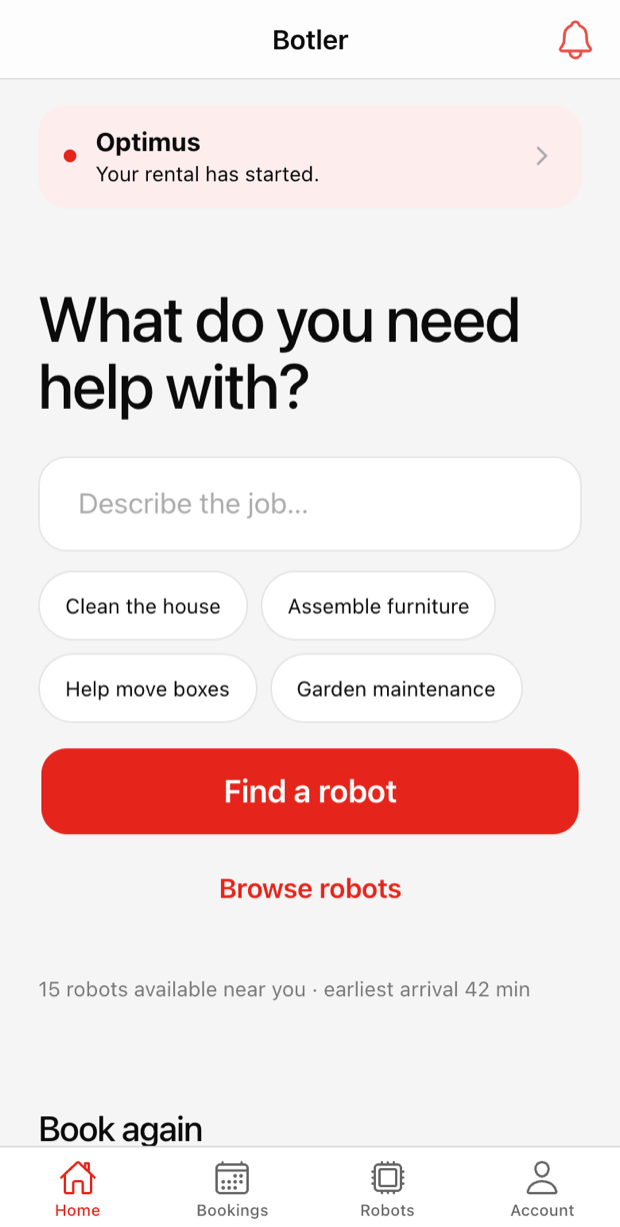
Describe the job
"Assemble two wardrobes." "Clean before guests arrive." "Help move boxes on Saturday." We match the words against what each robot can actually do. If you already know which robot you want, open its profile and book it directly — neither path is the fallback.
-
2
Pick a price and a time
Every suitable robot answers with one line: when it can be there and what the job will cost. Book Now for the soonest arrival, or schedule a date and time. The 2-hour minimum and the 30-minute steps after it are the only two rules.
-
3
Track it to your door
Watch it leave the depot and come to you. Use it for the time you booked, add 30 minutes on the spot if the job runs long, and it is collected again without you arranging anything.
The app
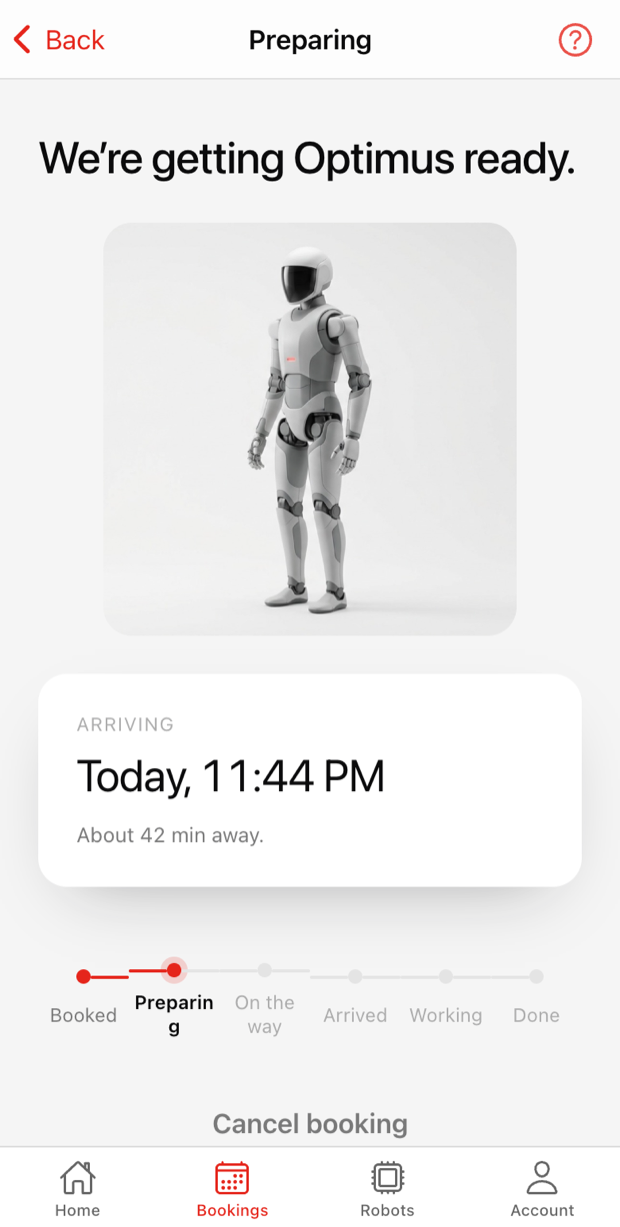
Two screens from the real thing, running on seeded Melbourne data. You can click through all of it in the demo.
What happens after you book
Eleven plain states, in this order, every time. You never see a dispatch queue, a battery level or a maintenance window — those are ours to worry about.
-
Confirmed
Your robot is reserved, at the price you just saw.
-
Preparing
We get it ready at the depot — charged, cleaned, loaded.
-
Ready for dispatch
It is packed and waiting on the van.
-
On the way
Live tracking opens. Follow it on the map, like a ride.
-
Arriving
A countdown, down to the last few minutes.
-
Delivered
It is at your door. Anything it needs to be shown, you show it now.
-
Active
The rental timer starts. Your instructions are on screen.
-
Ending soon
A warning before the time is up, and one tap to add more.
-
Collection scheduled
We book the trip back. You do not need to be there.
-
Returning
The robot is on its way to the depot.
-
Complete
Receipt, summary, and one tap to book the same job again.
Later, or every week
- Schedule a future date and start time in 30-minute slots, at the same hourly rate.
- Repeat it weekly, fortnightly, every four weeks or on your own interval.
- Skip, move or edit a single occurrence without touching the rest of the series.
- Recurring bookings are confirmed one occurrence at a time while the fleet is this small, and the app says so before you commit.
No logistics to think about
Availability, battery, maintenance and travel time are all real, all computed, and none of them are ever a question you have to answer. What you see is a robot, a price and an arrival time.